For photos I recommend viewing and downloading using PicDrop.
For video I recommend using Vimeo for viewing and sharing. For downloading I recommend Dropbox. Note though that some computers may not be able to playback 4K or even HD smoothly (use the VLC Player for offline playback).
PicDrop
I now mostly use PicDrop for sharing my photos. You can either download single photos by hovering over a specific image and clicking the download icon,
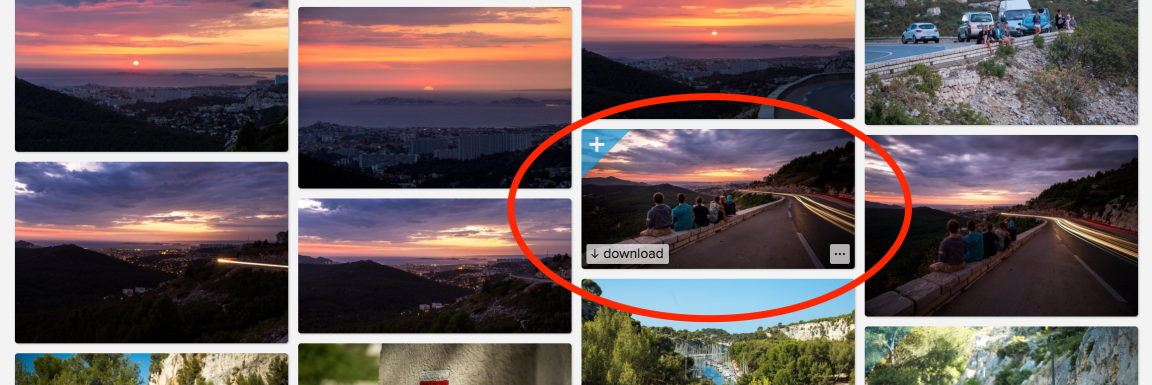
or select multiple images by clicking on the plus symbol on the left hand corner and download the selection by clicking on the arrow symbol on the appearing bar at the bottom of the page. You can also download the whole album by clicking on “load all X images as ZIP”. (Note that you will need a ZIP decompressor.)
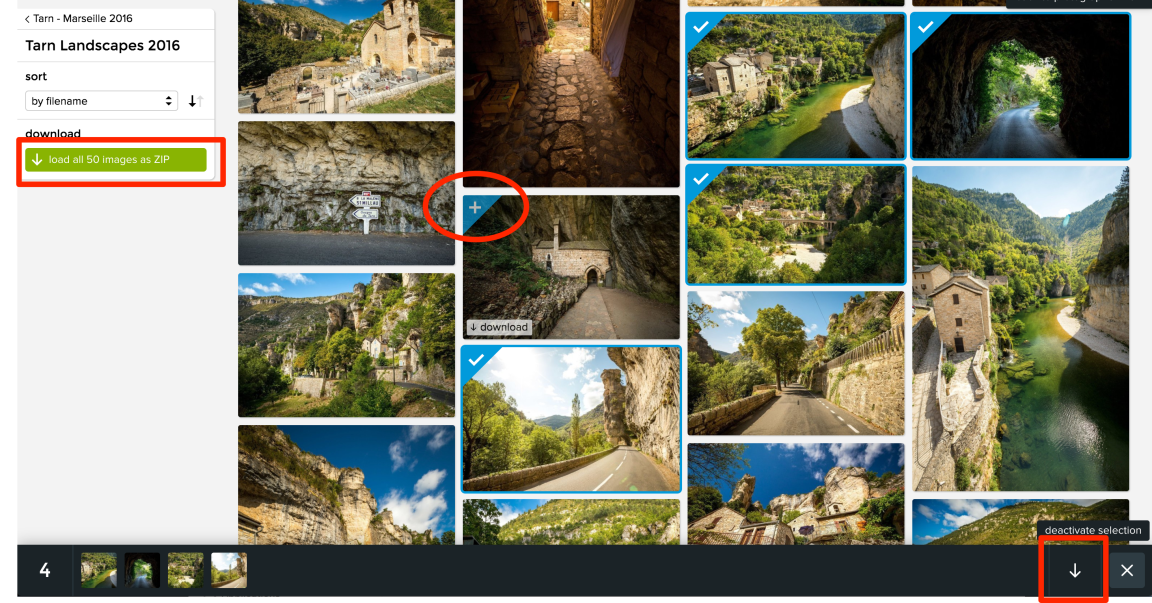
All my photos are usually shot in RAW, then processed in Lightroom Photoshop and exported in slightly reduced JPEGs (often applying the 70 or 80% quality JPEG setting in LR). This should be enough for anything but wall sized prints. In case you are interested in RAW or TIFF files, feel free to shoot me a message.
Flickr
Since Flickr was inherently malfunctioning and had no customer support whatsoever, I now deleted my account there. As a result, all previously sent links are now dead. However, I still have all the photos on my hard drives, so if you would like to revisit an old album, feel free to contact me and I’ll reupload it to PicDrop.
Vimeo
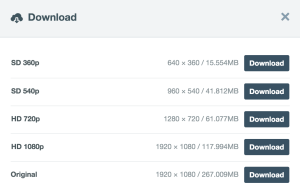
Sometimes I activate the possibility to download my Vimeo edits. If activated you will find a download symbol in the video description.

Here you can choose which resolution you want:
Dropbox
All my uploads are usually mirrored to Dropbox. Although I hate the way my media files are displayed there, it is often the easiest and fastest way to share large data sets. Be aware that links are usually killed within a few weeks, so if you are interested in this option make sure to download everything as soon as possible. Also, unless you have a Dropbox account yourself, you will not be able to download folder structures larger than 1GB as ZIP files (?). The easiest way here is to add the folders to your Dropbox (storage limit can be bypassed for the download if I remember correctly). More specifically here is what you can do for photos and videos.
Photos
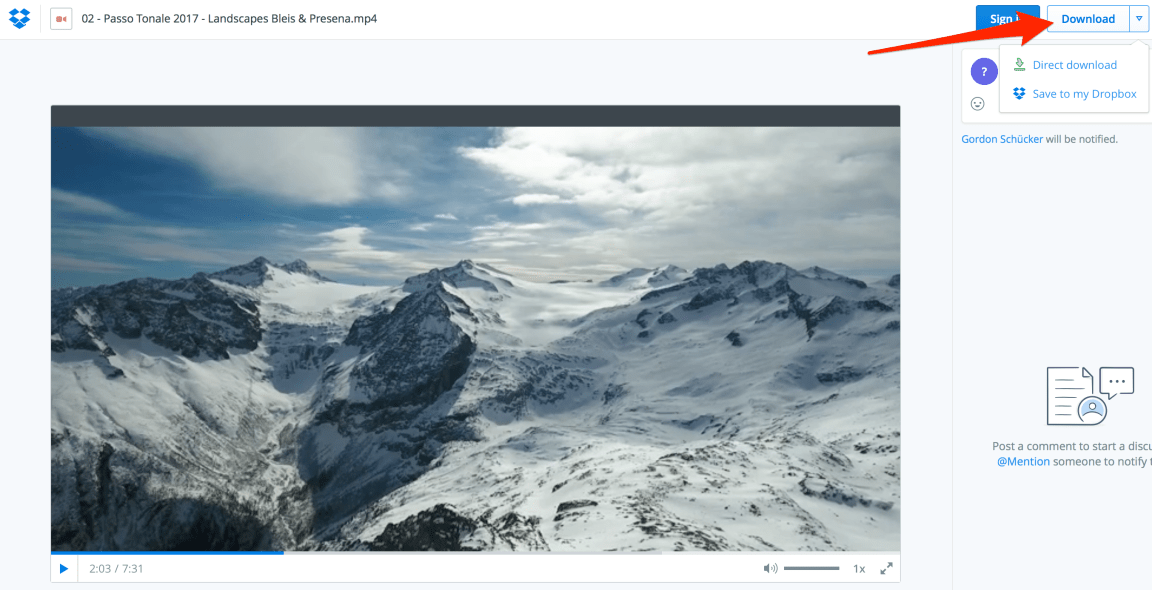
Here too you can choose between the whole album (click on download in grid view) or single photographs (click on a photo and then on download).


Videos
On Dropbox you can only download files in native resolution. Avoid streaming as quality and playback is usually poor.
Feedback
I hope this guideline was helpful. Please write me if you encounter any issue, I’m glad for any feedback!
 Gordon Schücker